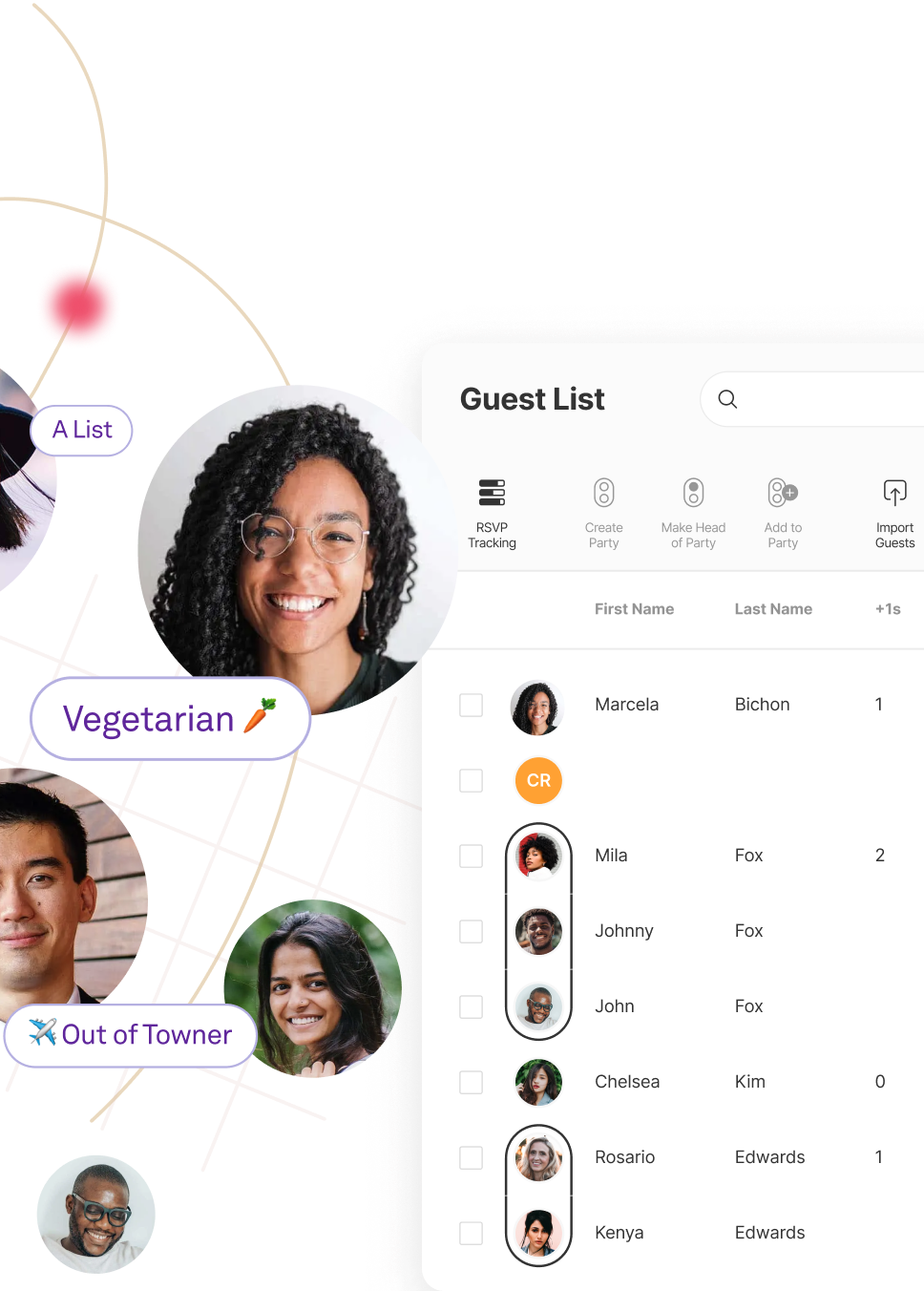
The connected wedding guest list.

Keep every detail of your wedding day in order. Gather addresses, add or import your guest lists, send messages, and track RSVPs—all from your guest list.


Group
your guests.

Organise all
the details.

Send cards
and messages.

Collect RSVPs
for all your events.

The connected wedding guest list.

Keep every detail of your wedding day in order. Gather addresses, add or import your guest lists, send messages, and track RSVPs—all from your guest list.


Group
your guests.

Organise all
the details.
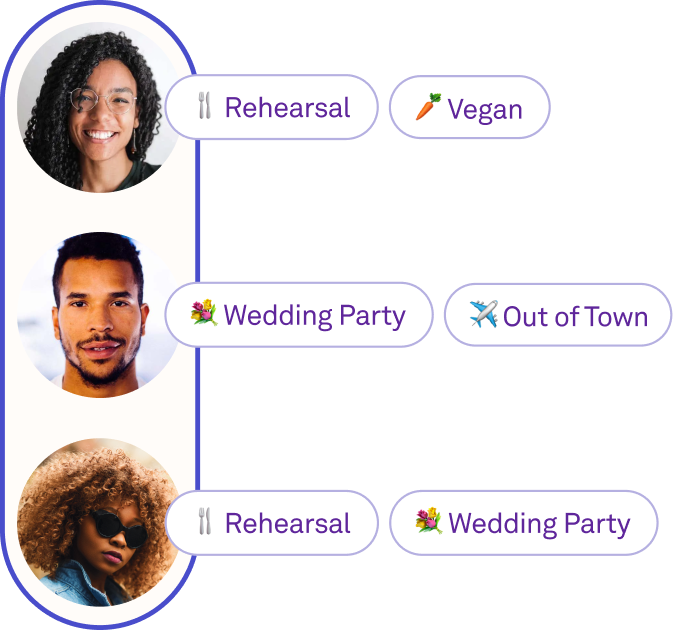
Send cards
and messages.
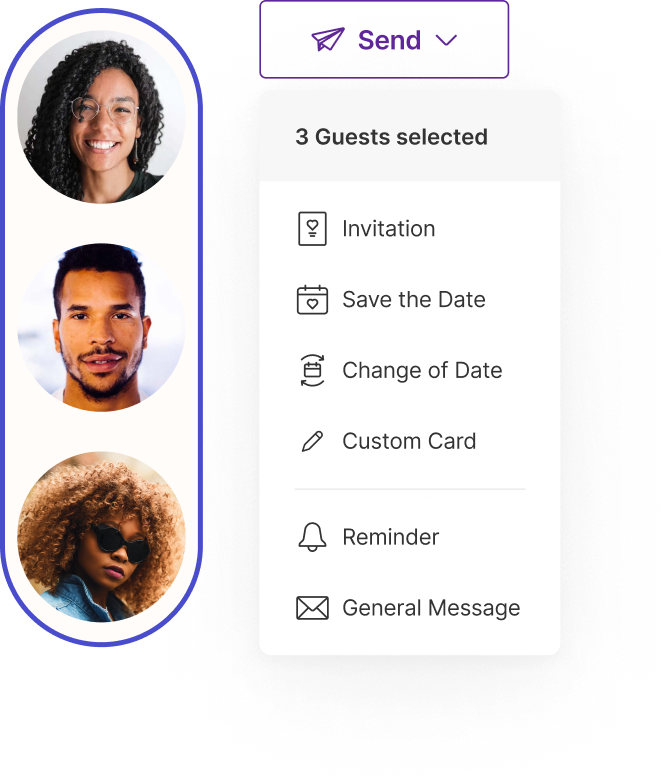
Collect RSVPs
for all your events.

All your guests at a glance.

Organise your guests.

Organise your guests.

Assign plus-ones, group families and dates together, and organise guests with tags.

Keep in touch with your guests.

Keep in touch with your guests.

Send Save the Dates, invites, personalised eCards and more, straight from your guest list.

Track your guests’ replies.

Track your guests’ replies.

See guests’ RSVPs, who’s opened your invite, and who’s bought a gift from your registry, all in one place.

Less time on guest lists, more time on your bucket list.

Less time on guest lists, more time on your bucket list.

Multiple Editors

Work on your guest list together without sharing passwords.

Invite your partner, mum, or wedding planner to help with your guest list—no need to share accounts or passwords.

Spreadsheet Import and Export

Already started your list? No worries.

Import your spreadsheet to build a smarter guest list, then export it to share with suppliers.

A guest list
worthy of your celebration.

Smart Guest Tags

Organising is your superpower.

Whether it’s for your wedding party, family, or table plan, use tags to make wedding planning simpler.

Easily manage private schedules, invites, and RSVPs for your guests.

Add tags to invitations, RSVP questions, and events to control who sees what.

Prioritise guests from A to B-List, even C.

Keep tabs on guest groups and send invitations in batches.

Filter and sort to your heart’s content.

Clever guest tags make it easy to filter responses by group.

Tag guests
however you like.

Couples have used tags in all sorts of creative ways to help with planning. Take inspiration from some of our favourites.

Tag guests
however you like.

Couples have used tags in all sorts of creative ways to help with planning. Take inspiration from some of our favourites.

Dog OwnersDog Owners
ABC ListsABC Lists
Out-of-TownersOut-of-Towners
Table NumbersTable Numbers
SinglesSingles
Dog OwnersDog Owners
ABC ListsABC Lists
Designated DriversDesignated Drivers
ChildrenChildren
Uni FriendsUni Friends
Best MatesBest Mates
Gift TrackingGift Tracking
Designated DriversDesignated Drivers
ChildrenChildren
VegansVegans
MaybesMaybes
Plus OnesPlus Ones
Mum’s FriendsMum’s Friends
AllergiesAllergies
VegansVegans
MaybesMaybes
Uni FriendsUni Friends
Best MatesBest Mates
Gift TrackingGift Tracking
ChildrenChildren
VegansVegans
Gift TrackingGift Tracking
Uni FriendsUni Friends
Best MatesBest Mates
Designated DriversDesignated Drivers
MaybesMaybes
Dog OwnersDog Owners
ABC ListsABC Lists
AllergiesAllergies
VegansVegans
Mum’s FriendsMum’s Friends
Dog OwnersDog Owners
ABC ListsABC Lists
Out-of-TownersOut-of-Towners
Best MatesBest Mates
Designated DriversDesignated Drivers
Out-of-TownersOut-of-Towners
Table NumbersTable Numbers
AllergiesAllergies
VegansVegans
Designated DriversDesignated Drivers
ChildrenChildren
SinglesSingles
ABC ListsABC Lists
Dog OwnersDog Owners
Gift trackingGift tracking
Out-of-TownersOut-of-Towners
Table NumbersTable Numbers
BestiesBesties
VegansVegans
KidsKids
MaybesMaybes
University FriendsUniversity Friends
Gift trackingGift tracking
Designated DriversDesignated Drivers
MaybesMaybes
ABC ListsABC Lists
Dog OwnersDog Owners

Group your guests,
we’ll handle
the rest.

Assign plus ones, let guests RSVP for their households, and more, all with a guest list that keeps your plans running smoothly.

Manage Plus Ones

Add or limit plus ones so guests can only RSVP for their set headcount.

Create RSVP Groups

Let guests easily reply on behalf of their household or group.

Send and track everything.

From Save the Dates to RSVP reminders, chat to your guests all in one place.

Send and track everything.

From Save the Dates to RSVP reminders, chat to your guests all in one place.

All the Cards

Signed, sealed, delivered.

Wedding Invitations

Create and send beautiful invites, then watch the replies flow straight into your guest list.

Save the Dates

With Save the Dates that match your site, guests can easily pop your date into their digital calendars.

Custom eCards

Customise eCard designs for any and all your wedding events, or even as thank you notes.

Announcements & Reminders

Easily message anyone or everyone.

From RSVP nudges to last-minute news, send updates straight to your guests’ inboxes.

Email and Invite Tracking

See who’s seen what.

No more being left on read. See who’s opened, read, and replied to your messages.

Response Tracking

Stop guestimating.

Gather details for several events, see guests’ replies as they arrive, and check up-to-date headcounts in a flash.

Your Wedding Website

The wedding website that does even more.

Share everything your guests need to know for your big day, from your event schedule and FAQs to your gift list.

Your Wedding Website

The wedding website that does even more.

Site To See Text

Still got questions?

The more the merrier. Big or small, Joy is built to scale.

Absolutely! Adding more than one admin to your account is easy. You can make any guest an admin for your event.

Yes, you can set any number of plus-ones per guest, whether that's 0 or 20.

Short answer: No. We know people might meet someone new or change who they're bringing along. In those cases, you can just give them a slot to bring a guest.

You don’t need to know a guest’s email address for them to RSVP. However, if you’re sending e-cards to your guests through Joy before they RSVP, you will need their email addresses to send them.

No. Creating an account is completely optional, and you’ll only be prompted after guests have finished their RSVP.

When estimating your guest numbers, you can usually count on around 85% of local guests and 55% of those travelling from further afield to attend your wedding.

It comes down to a few factors. Take a look at Getting Started With Your Wedding Guest List for tips on managing your guest list and making planning a bit easier.

Joy wedding websites, planning tools, and registry are all free. Our online Save the Dates and invitations come with hundreds of free designs, plus some premium paid options.

Absolutely! Our brilliant support team works tirelessly around the clock, every day of the week—including weekends—to make sure your questions are answered. You can email us at support@withjoy.com.

What Is a Wedding Guest List Manager?

A wedding guest list manager is an online tool that does away with the spreadsheets, sticky notes, and group chats couples usually rely on to keep track of who’s coming to their wedding. It brings together guest names, contact details, RSVPs, meal choices, postal addresses, and event assignments in one tidy system that both partners (and anyone they ask to help) can access and update instantly.

Unlike a static spreadsheet, a wedding guest list manager is designed for the way weddings really work. Guests turn up in groups — couples, families, whole parties. Some events are invite-only. Plus-ones need to be tracked without any confusion. RSVPs change. Addresses go missing. A purpose-built tool takes care of all this, without the faff and formula acrobatics that spreadsheets require.

Joy’s Guest List Manager is free and links straight to your wedding website, invitations, RSVPs and gift list — so every part of your wedding planning stays in sync, with no faffing about copying details between tools.

Why You Need a Wedding Guest List Manager

The guest list is one of the first things couples put together, and one of the last things they finish. It shapes your budget, your choice of venue, your seating plan, and your catering order. Manage it well and you’ll save money and stress. Manage it badly and you’ll end up with a domino effect of problems, usually at the worst possible time.

Here’s what a dedicated wedding guest list manager can do that spreadsheets simply can’t:

Real-time collaboration. Both partners, parents, and your wedding planner can add and edit guests at the same time, with no version clashes or endless email chains.

Automatic RSVP tracking. When guests reply via your wedding website, their status updates straight away on your list. No manual input, no missed replies.

Household and party grouping. Families, couples, and groups of friends are linked together so one person can RSVP for the whole party, and everyone’s addressed correctly on invitations.

Event-specific permissions. Not every guest is invited to every event. Tags let you control who can see and RSVP for the rehearsal dinner, welcome party, or after-party — no need to juggle separate lists.

Communication hub. Send save the dates, invitations, reminders and announcements straight from your guest list. See who’s opened, read and replied to each message.

One source of truth. Guest details, RSVPs, dietary requirements, gift tracking and address collection all in one spot, accessible from any device.

Everything You Can Manage in Joy’s Guest List

Joy’s Guest List Manager is built around the real flow of wedding planning — not just a list of features, but the things you genuinely need to get done, in more or less the order you’ll do them.

Build Your Guest List

Most couples start with a rough list of names scattered across text messages, notes apps, and conversations with family. The first step is getting everyone into one place.

Add guests individually. Type names directly into the guest list from your dashboard. You can add details like email, phone, and postal address right away, or come back to fill them in later.

Import a spreadsheet. If you’ve already started a list in Excel, Google Sheets or Numbers, just export it as a CSV and upload it to Joy. Our import tool matches your columns to Joy’s fields — names, addresses, tags, party groups — so there’s no need to type it all in again. See the import guide for formatting tips and the downloadable template.

Import your existing contacts. Bring in names from contact lists you've already made, so you're not starting from scratch.

Use the Contact Collector. Rather than chasing guests for their details one by one, simply share a single link and let them fill in a straightforward form with their postal address, phone number, and email. Their responses are saved straight to your Joy guest list — no fiddly spreadsheets, no manual data entry. You can send the Contact Collector link by email or text through Joy, or just copy and share it however suits you. Guests can even add details for their plus-ones in the same form, helping you avoid duplicate entries on your list. See the Contact Collector guide for setup and sharing options.

Merge duplicates. It happens to the best of us: you add “Michael” to your guest list, and then he RSVPs as “Mike”. Suddenly, you’ve got two entries for the same person. Joy’s merge tool lets you tidy things up by combining duplicate records into one, without losing RSVP responses, email tracking history, or any other details. See how to merge duplicates.

Edit guest details. Click on any guest to view and update their full profile — contact details, RSVP responses, email history, dietary requirements, and notes. Choose which columns show on your list to keep the most important info right where you need it.

Organise Households

Weddings aren’t just about individuals — they’re about families, couples, and groups. Joy lets you organise guests into parties, so everyone in a household is treated as a unit.

When guests are grouped together as a party, the invitation addresses everyone by name (no more guessing with “and family”), and one person can RSVP for the whole group. This is especially handy for families with young children who won’t be replying themselves.

You can create parties while adding guests, when importing a spreadsheet (using the Party column), or at any time by selecting guests and clicking “Create Party.” Read the full guide to parties and plus-ones.

Manage Plus-Ones

Plus-ones are one of the trickiest bits of any guest list. Some guests have a partner you know. Others get an unnamed plus-one. Some don’t get one at all. Joy lets you manage each situation your way.

You can give a named plus-one (the partner’s name appears on the invite) or a blank plus-one (the invite says “and guest”, and they add their guest’s name when they RSVP). Either way, the plus-one is tracked on your list, included in your numbers, and shown in RSVP replies.

The plus-one column on your guest list lets you see at a glance who has a plus-one, who doesn’t, and who still needs a decision. Find out more about adding plus-ones.

Collect RSVPs

Most weddings have more than one event, and not every guest is invited to all of them. Joy’s RSVP system handles multi-event weddings as standard.

When guests visit your wedding website to RSVP, they’ll only see the events they’re invited to — whether that’s the ceremony, reception, welcome drinks, rehearsal dinner, morning-after brunch, or any other occasion you’ve popped on your schedule. Their response for each event is tracked separately on your guest list, so you can see at a glance how many people are coming to each one.

You can also ask your own RSVP questions (such as dietary requirements, song requests, or travel plans) and choose which questions show up for each event. To make sure only invited guests reply, Strict Name Matching lets you limit RSVPs to people already on your list.

Every response goes straight into your guest list in real time. No need to check another inbox or update a spreadsheet — the info is right there when you need it.

Keep Track of Meal Choices

If your caterer needs numbers for each meal option, Joy gathers that as part of the RSVP process. You can add meal choices as a custom RSVP question (chicken, fish, vegetarian, vegan, or whatever’s on your menu), and each guest’s pick shows up on their profile and in your guest list columns.

When it’s time to share numbers with your caterer or venue, simply export your guest list to a spreadsheet filtered by meal choice. The numbers are always spot on, as they come straight from guest responses—not added up by hand.

Organise Guests with Tags

Tags let you sort and filter your guest list without needing a new list for every little thing. Think of them as handy labels you can pop onto any guest.

Popular ways to use tags include:

Priority tiers: Mark guests as A-list, B-list or C-list so you can send out invites in batches and move people up from the waiting list as others decline.

Relationship groups: “Bride’s family”, “Groom’s university friends”, “Work colleagues” — any grouping that helps you sort and filter.

Event access: Tag guests who are invited to private events like the rehearsal dinner or after-party. Only guests with the right tag will see that event on your schedule and be asked about it when they RSVP.

Seating and logistics: Use tags for table plans, travel groups, or hotel room blocks.

Custom tags: Make any tag you like — emoji tags welcome. Tag by dietary needs, wedding party role, or however your mind sorts people.

You can assign tags individually, in bulk, or when importing your spreadsheet. Filter your guest list by any tag to instantly see just the guests you need. Learn everything about guest tags.

Collect Addresses

You’ll need postal addresses for physical save the dates, invitations, and thank you cards — but gathering them is one of the most tedious bits of wedding planning. Joy’s Contact Collector sorts this by letting you share a single link where guests can pop in their own postal address, email, and phone number straight into your guest list. No group chats, no passing around spreadsheets — just one link that does the hard work for you.

You can also add addresses manually or import them from a spreadsheet. The address column on your guest list keeps everything tidy in one spot, and when it’s time to send post, you can export the list with formatted addresses, ready for your stationer or printer.

Send Invitations and Messages

Your guest list isn’t just a list — it’s your communication hub. From Joy’s Guest List Manager, you can:

Send digital save the dates and invitations straight to guests on your list. Choose individuals, filter by tag, or send to everyone in one go.

Send personalised eCards for any occasion — rehearsal dinner invites, on-the-day updates, or thank you notes.

Send email announcements and reminders — RSVP deadline nudges, schedule changes, or practical updates.

Track delivery and engagement — see who’s opened your message, who’s clicked through, and who’s replied. This is especially handy for RSVP reminders: filter for guests who haven’t responded yet and send a gentle nudge.

As everything’s connected, your guest list updates automatically whenever someone replies to an invitation or RSVP. No faffing about syncing tools or copying and pasting between tabs. For a full walkthrough of every feature, check out the Guest List Management guide.

“Enjoy it and get started early – you can begin collecting addresses and sorting your guest numbers.”

Malika & Dyron

Married in 2014

Lace up your planning shoes.

We’ll help you kick off your wedding on the right foot.

Get Started